A submittal tracker for Gmail, built for construction coordinators
One-click tracking
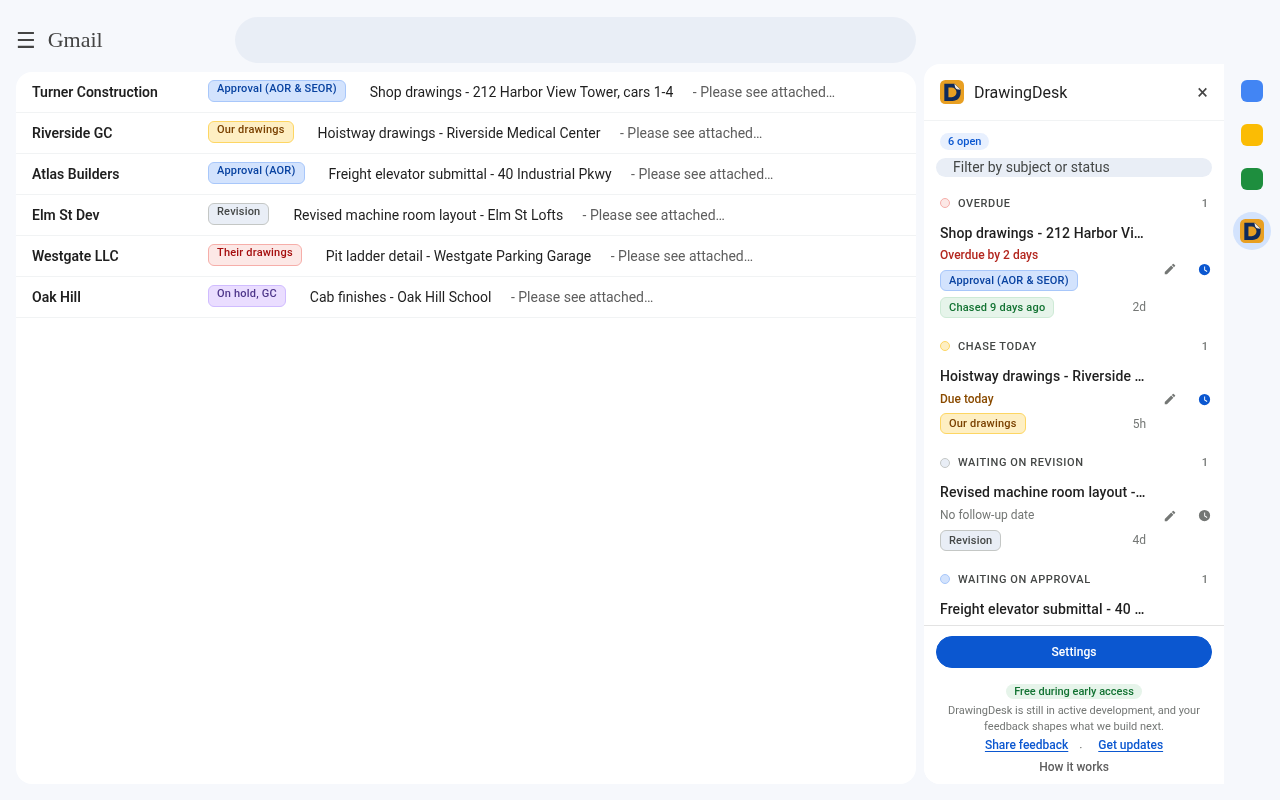
Turn any Gmail thread into a tracked shop drawing submittal.
Status badges
Color-coded statuses on the thread and inbox row: waiting on our drawings, revision, approval, approved as noted, approved.
AOR / SEOR approval tracking
Know whether the architect, the structural engineer, or both have the drawings.
Follow-up reminders
Log each chase, set the next follow-up and get a desktop reminder the day it's due.
Shop drawing log in Google Sheets
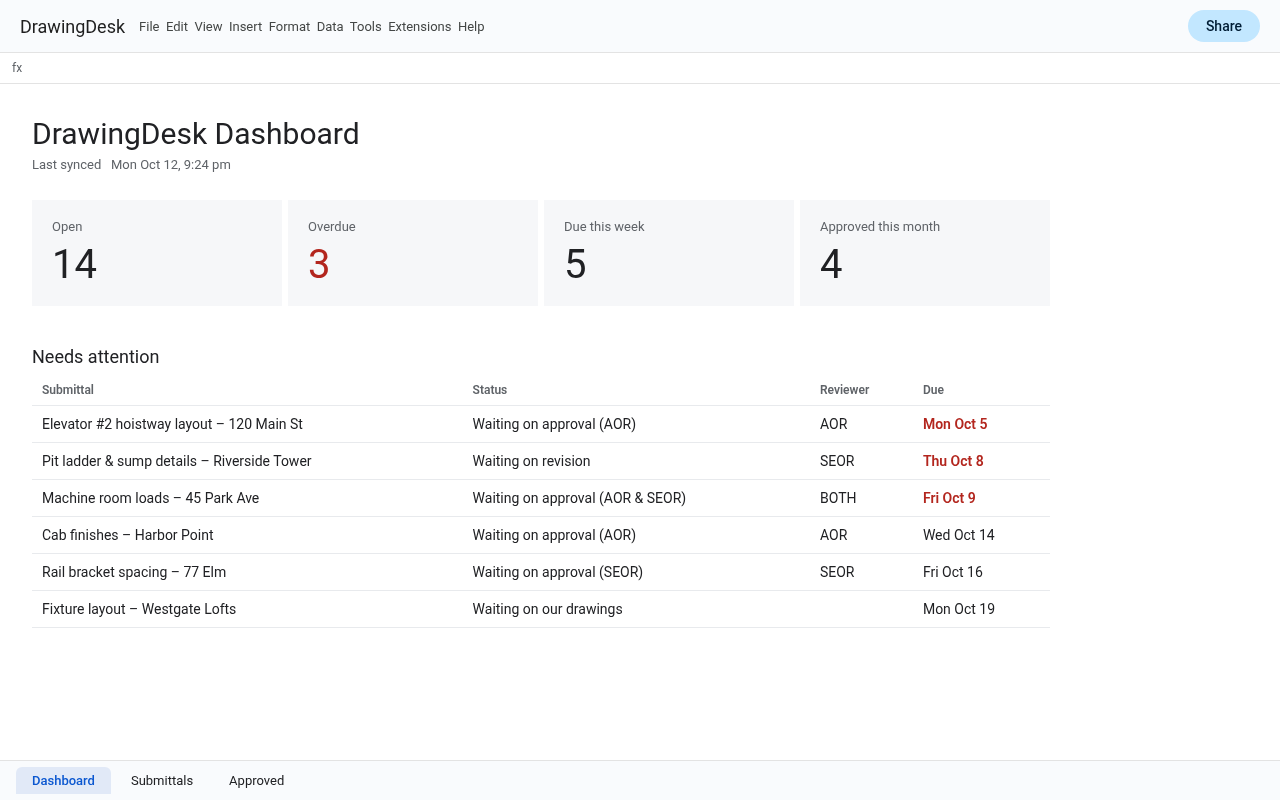
An auto-syncing sheet with open, overdue and approved submittals, ready for weekly meetings.
Private Drive backup
Backs up to a hidden folder in your own Google Drive. No servers of ours, no ads.
Your shop drawing log, always up to date
One click creates a dashboard spreadsheet in your Google Drive. It updates automatically every time you change a status, so your PM or GC can see where every submittal stands. Teams can sync several coordinators into one shared sheet.
Elevator submittal tracking, set up in a minute
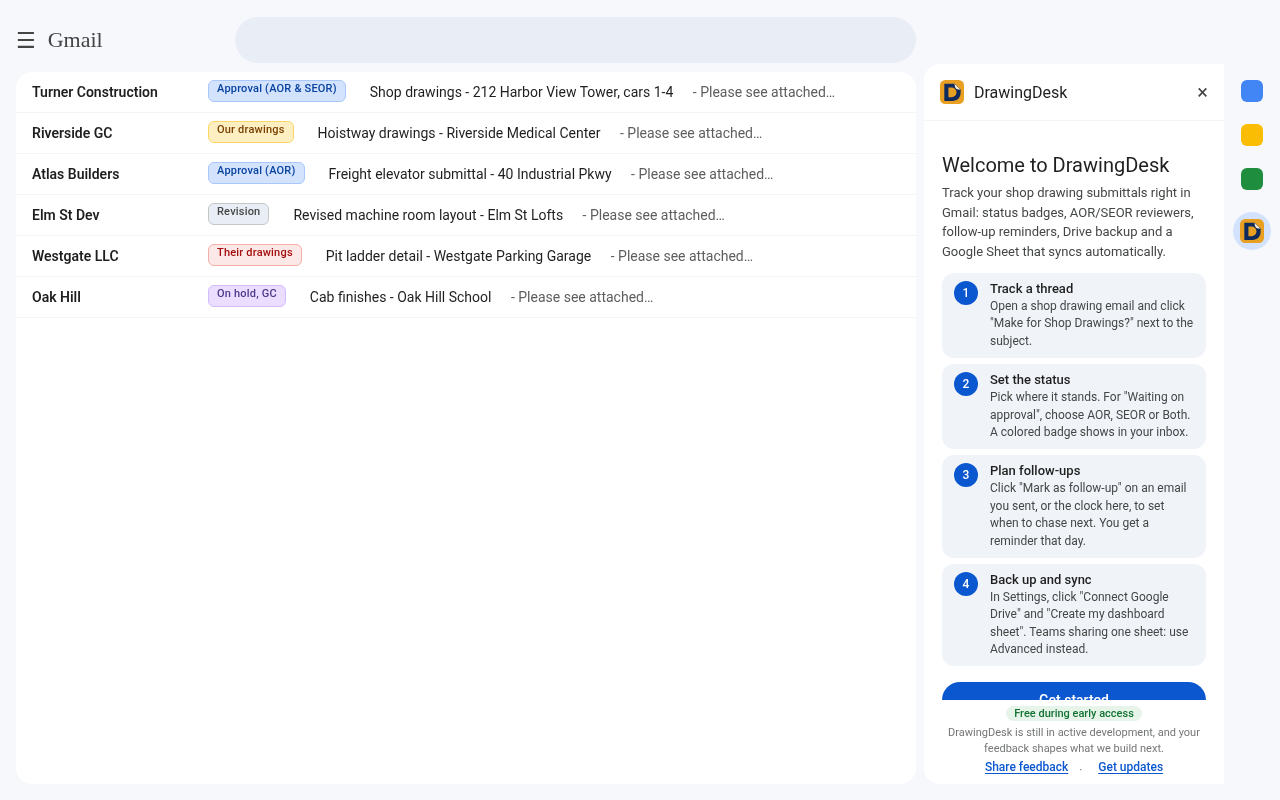
A short welcome guide walks you through it: track a thread, set its status, plan follow-ups, then turn on Drive backup and the sheet. Made first for elevator shop drawings, it works as a construction submittal Chrome extension for any trade that manages approvals over email.
FAQ for elevator and construction coordinators
What is DrawingDesk?
DrawingDesk for Gmail is a free Chrome extension that turns Gmail into a shop drawing tracker. You flag submittal threads, set their status and reviewer, and plan follow-ups without leaving your inbox.
Is DrawingDesk made for elevator shop drawings?
Yes. It was built by an elevator shop drawing coordinator, with statuses for hoistway, machine room, cab and controller submittals in mind. It works for any construction submittal you manage over email.
How does elevator submittal tracking work in Gmail?
Open a submittal email and click “Make for Shop Drawings?” next to the subject. Pick a status such as “Waiting on approval”, and a color-coded badge appears on the thread and its inbox row. The side panel lists every open submittal.
Can I track AOR and SEOR approvals separately?
Yes. When a submittal is waiting on approval you can mark whether the architect of record (AOR), the structural engineer of record (SEOR), or both have it, so you always know who to chase.
Can I keep a shop drawing log in Google Sheets?
Yes. One click creates a dashboard spreadsheet in your own Google Drive that updates automatically, giving you a shop drawing log you can share at weekly meetings.
Is DrawingDesk free?
Yes. It is free during early access. Paid plans may come later, and we will give notice before anything changes.
Where is my data stored?
In your browser and, if you turn them on, your own Google Drive and Google Sheets. We run no servers that receive your data.